Render to Reality

Architectural Visualisation

CAD renders,
set into reality.

Upload the location photograph and the CAD render. Get back a photorealistic composite that looks like it was shot on site. 2K or 4K, ten aspect ratios, up to ten variations per run.

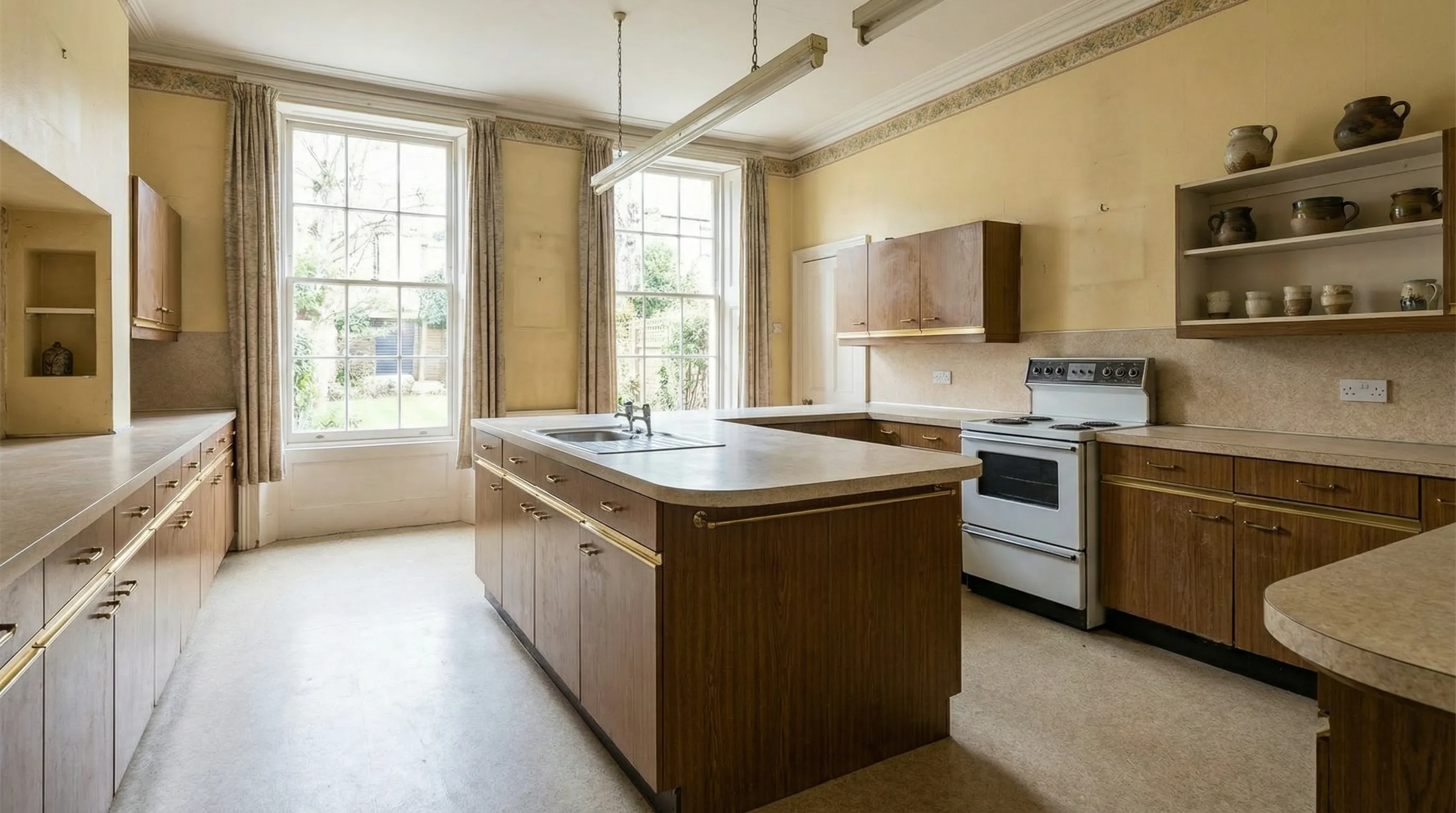
Location photo
01 Location photo
The real site, as shot on a phone.
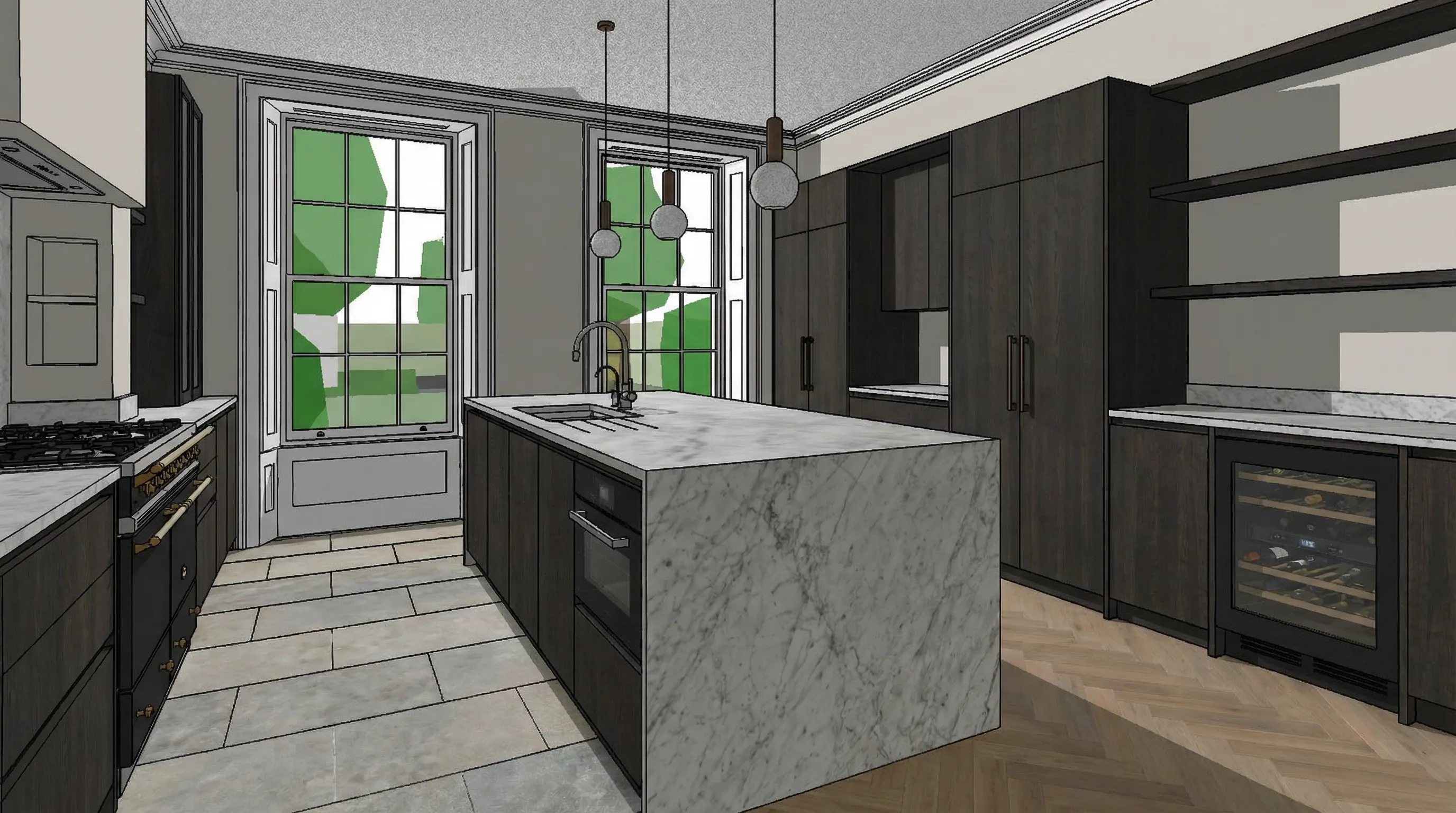
CAD render
02 CAD render
The scheme, straight from the model.
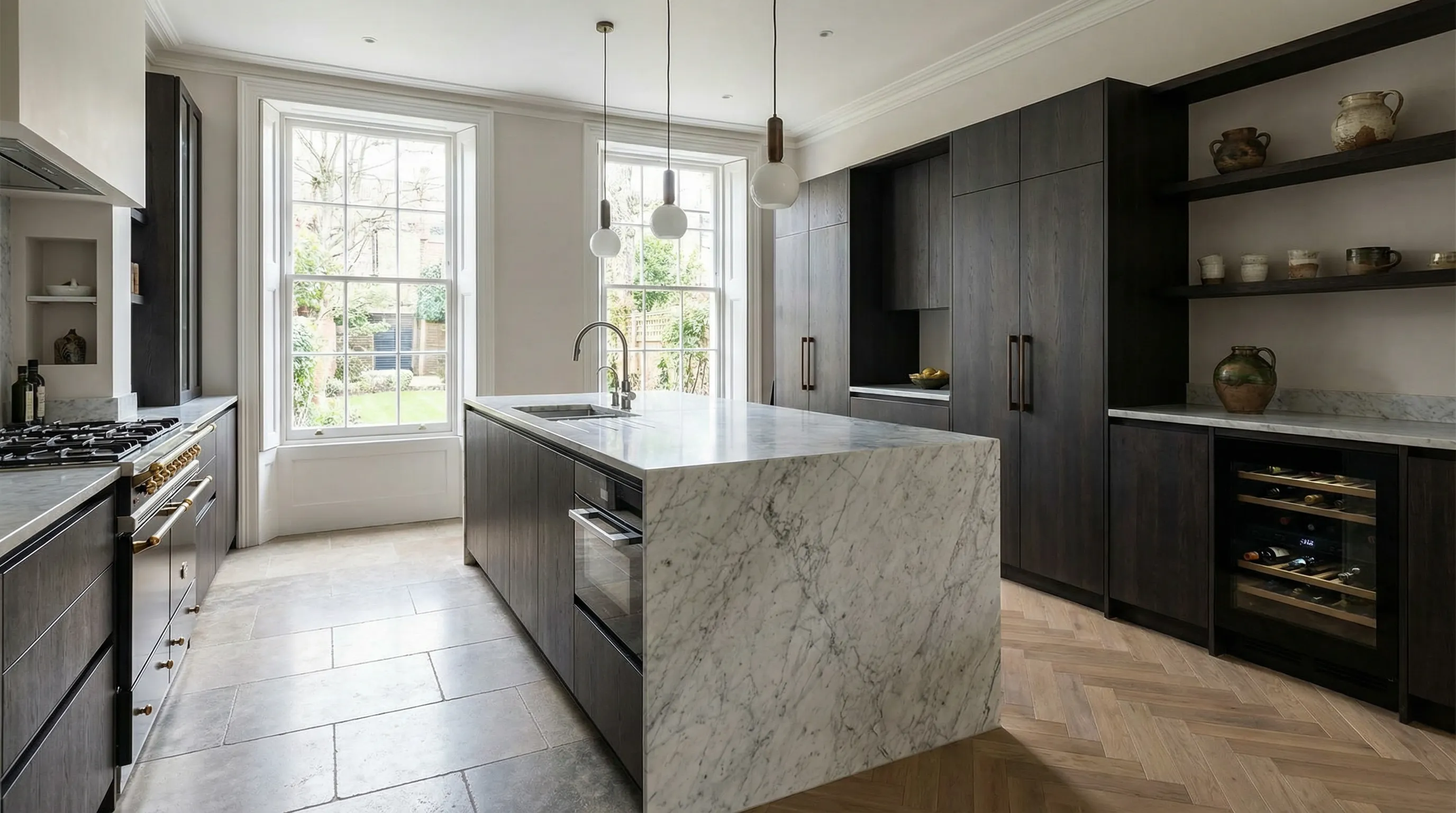
Photoreal composite
03 Photoreal composite
One upload. One generate. Client-ready.

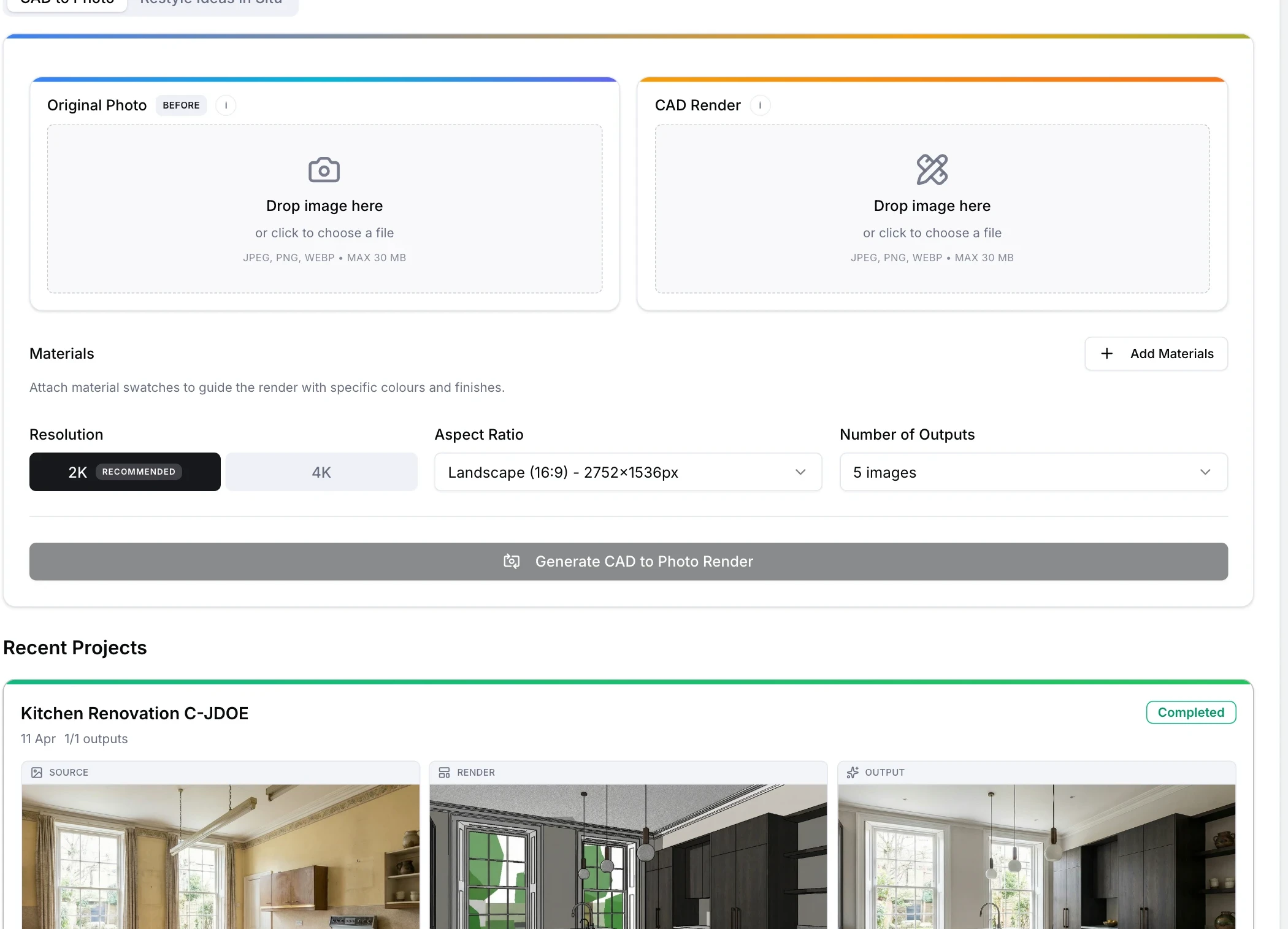
The Interface

Two uploads. One prompt. Ten composites.

No plugins, no scene setup, no render queue. Drop in the site photo and the CAD render, pick the resolution and aspect ratio, and generate.

Render to Reality interface

The Method

From a site photo and a CAD drawing to a photoreal image, in one step.

01 Step 1

Upload

One photograph of the site. One CAD render of the scheme.

Drop both into the project, add a short prompt if you want to steer the conditions, and hit generate. No plugins, no local render passes, no material setup.

02 Step 2

Generate

Up to ten composites per run, at 2K or 4K, in the aspect ratio you need.

The model places the scheme into the real scene with consistent lighting, scale and perspective. Run again with different prompts to explore the scheme under different conditions.

03 Step 3

Deliver

Download the winner, or take the full batch as a zip.

Straight into client decks, planning submissions, and pitch walls. No watermark. No monthly render quota gating the next variation.

Capabilities

Built for the detail that matters to clients.

01

2K and 4K Output

Pitch decks, A1 printouts, planning committee boards. Pick the resolution that matches where the image is going, not where the tool thinks it should live.

02

Ten Aspect Ratios

Landscape hero, square for social, tall tower portraits, ultra-wide streetscapes. Pick the frame for the image you actually need to produce, not a fixed 16:9.

03

Up to Ten Variations

One prompt, ten composites. See the scheme at different times of day, with different weather and different scene dressing. Keep the one that sells the project.

04

Directive Prompts

Ask for late afternoon golden light, winter dusk, pedestrians included, existing materials matched, specific foliage. The prompt shapes the scene without forcing a rerender.

05

Batch Export

Star the ones you want, download a zip of the batch, or send a single image straight to the client. Every output is yours to keep.

06

Replaces The Traditional Stack

Work that used to need Veras, Twinmotion, D5 or Enscape, plus a skilled operator and a full scene setup, now happens from two images and a prompt.

Output

Control over every variable that defines the final image.

01

0K

Maximum output resolution

02

0

Variations per run

03

0

Aspect ratios available

Why It Matters

Ship the pitch image, not the process.

Architects and developers lose hours every week on site photography, render match-moving and scene setup. Render to Reality collapses that into an upload and a generate button. The client sees the building in its actual setting. You move on to the next scheme.

How Teams Use It

  • Architects selling the finished scheme to clients before groundworks begin.
  • Developers generating presentation assets for planning committees and investors.
  • Studios producing dozens of variations in minutes instead of days.